
Email Signature Packages
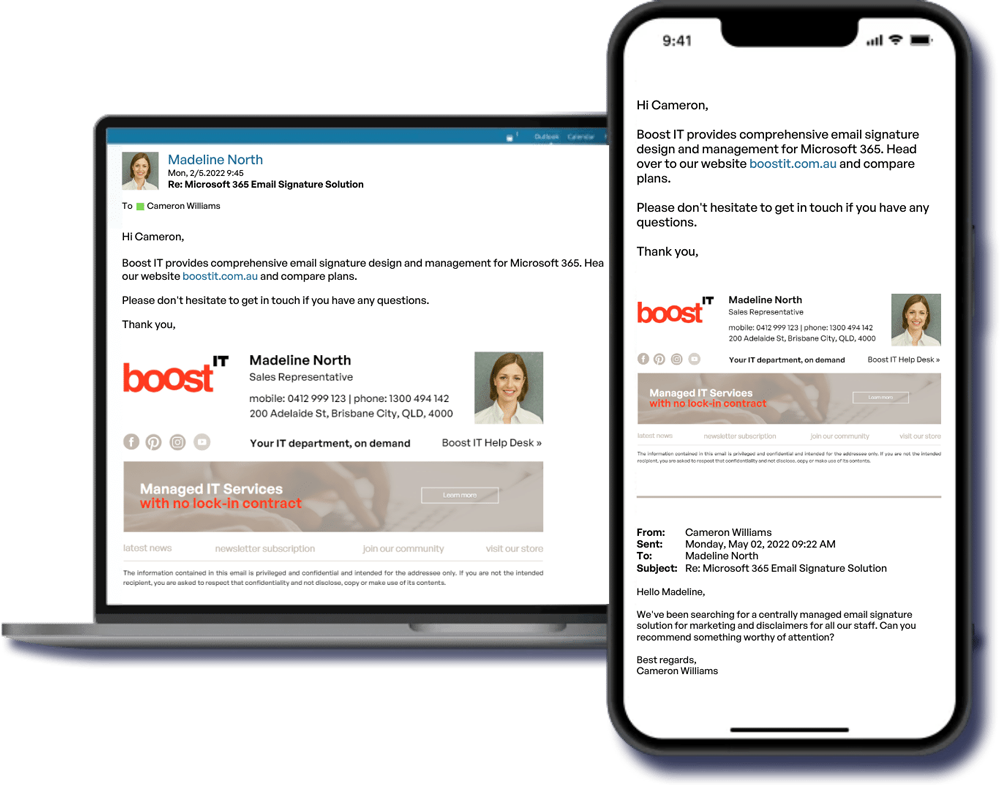
Get a fully managed email signature service that integrates with your Microsoft 365 email solution. We create, manage, and instantly deploy email signatures, festive and marketing banners, legal disclaimers, and automatic replies for all staff. This cloud service works with all email apps and devices, including Windows, Mac, mobiles, and tablets. No more ‘sent from Outlook mobile’ – signatures work on mobile devices!
pro email Signature package
$450
Plus $8 monthly license per user, minimum 10 users
Contact Us
Design Consult
Let's discuss your signature design
Let's discuss your signature design
HTML Design Delivery
We send you a preview of the email signature design. Receive one round of changes included.
We send you a preview of the email signature design. Receive one round of changes included.
Installation and Configuration
Your new email signatures will be configured on a cloud-based central management platform
Your new email signatures will be configured on a cloud-based central management platform
Automated Deployment
No installation or set up by your staff required. Automatic integration with Outlook.
No installation or set up by your staff required. Automatic integration with Outlook.
Easily Update Email Signatures Company Wide
Central management allows you the flexibility of easy updates, creating custom rules for staff or departments, and using your email signature for marketing.
Central management allows you the flexibility of easy updates, creating custom rules for staff or departments, and using your email signature for marketing.
Multi-Design Package
Negotiable
Discounts for multi-design orders.
Contact Us
Custom solutions for more complex requirements
Features
Central management allows full automation for instant deployment
Cloud-based solution allows us to create, deploy and manage email signatures and disclaimers for all staff, centrally. The deployment process is fully automated.
All email clients & mobile devices supported
There are absolutely no limitations when it comes to email clients. The platform can insert email signatures into messages sent from literally any mobile device. Signatures added to emails in the cloud can be viewed in the Sent Items folders, on every device.
Logos, banners and social media buttons in signatures
All graphics are fully supported, and you can use them freely in your email signature design. Not only does this make your emails look more professional, it also opens up new possibilities as far as email marketing is concerned.
Complete control with conditional email signatures
Decide which staff and emails get signatures and when. Apply different signatures to internal and external messages, selected senders, recipients or language groups.
Dynamic design
We use Azure AD user properties and attributes (such as department, location or job title) or keywords in email body or subject to trigger specific signature rules.
Graphics embedded in email
This means that the recipient will always see a fully branded signature on every device, and without having to click “Download pictures”. No more red Xs and paperclip icons.
Microsoft 365 user photos in signatures
You can include Microsoft 365 users’ photos as part of email signatures.
Use email signatures for marketing and track the results
Transform your emails into a powerful digital marketing tool. You can also use URL tagging to track the results of your campaigns in web analytics platforms, e.g. in Google Analytics.
Meeting scheduling made easy
Easily insert a link to a direct meeting/call (e.g. via Microsoft Teams) or a meeting scheduling service (such as Calendly) into your email. This can help you simplify contact with customers.
View signatures while composing an email
See email signatures while composing an email. This works within Outlook, Outlook for Mac and Outlook on the web (OWA).
